Moderation
This page covers TTT role assignments and staff commands. Use it for live moderation and dedicated server setup; normal player commands are listed separately at Player Commands.
Moderation is easiest in-game
Most of the console commands and tools described on this page are available to staff roles in the pause menu's Mod Menu.
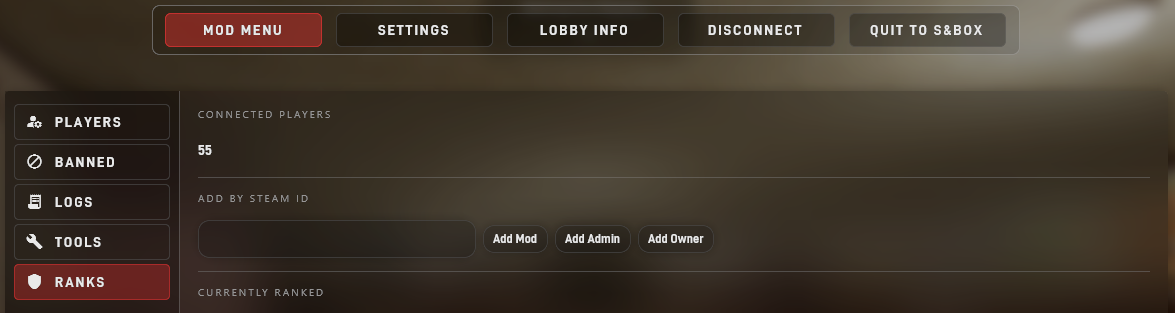
Lobby hosts have the Owner role by default. However, dedicated server hosts will need to set themselves as owner via the roles.json file or by using a command in the server console. Once you have that, you can assign all other roles in-game.
Roles
Hierarchy
| Role | Inherits | Main purpose |
|---|---|---|
| User | None | Normal player. |
| Moderator | User | Reports, kick, gag/gimp, skip-rounds, chat moderation, mod chat, and moderation audit visibility. |
| Admin | Moderator | Ban, slay, session rule editing, forced map votes, and direct map changes. |
| Owner | Admin | Permission editing and session recovery. |
| Founder | Owner | Current host/founder authority. Derived each session and not written to roles.json. |
Targeting
Staff actions check role authority before applying. Lower-ranked staff cannot act on higher-ranked staff, and the host console has top-level authority on a dedicated server.
roles.json
When editing, use SteamID64 values. Invalid or zero IDs are ignored. Role values should be moderator, admin, or owner.
[
  {
    "steamId": 76561190000000000,
    "role": "admin"
  },
  {
    "steamId": 76561190000000001,
    "role": "moderator"
  },
  {
    "steamId": 76561190000000002,
    "role": "owner"
  }
]
Role Commands
Use SteamID64 values.
| Command | What it does | Persists? |
|---|---|---|
ttt_setrole STEAMID64 ROLE |
Replaces assignable roles with one role. ROLE can be mod, moderator, admin, or owner. |
Yes, to roles.json. |
ttt_clearrole STEAMID64 |
Removes Moderator, Admin, and Owner from a player. | Yes, to roles.json. |
ttt_addmod STEAMID64 |
Adds Moderator. | Yes, to roles.json. |
ttt_removemod STEAMID64 |
Removes Moderator. | Yes, to roles.json if that was the stored role. |
ttt_addadmin STEAMID64 |
Adds Admin. | Yes, to roles.json. |
ttt_removeadmin STEAMID64 |
Removes Admin. | Yes, to roles.json if that was the stored role. |
ttt_addowner STEAMID64 |
Adds Owner. | Yes, to roles.json. |
ttt_removeowner STEAMID64 |
Removes Owner. | Yes, to roles.json if that was the stored role. |
ttt_listroles |
Prints ranked Moderator, Admin, Owner, and Founder assignments. | Read-only. |
ttt_listadmins |
Prints Admin and Owner SteamIDs. | Read-only. |
Bans
Dedicated servers write host bans to bans.json and mirror active bans into the live session so the mod menu can display and revoke them. P2P lobby bans are session-only and do not write bans.json.
| Command | What it does | Persists? |
|---|---|---|
ban PLAYER [HOURS] |
Bans a connected player by partial name. Omit hours for a permanent ban. | Dedicated only, to bans.json. |
ban STEAMID64 [HOURS] |
Bans a SteamID64 directly. | Dedicated only, to bans.json. |
banid STEAMID64 [HOURS] |
Bans a SteamID64 directly. | Dedicated only, to bans.json. |
unban STEAMID64 |
Removes the active ban for that SteamID64. | Dedicated only, removes from bans.json. |
Admins can also ban, ban by SteamID, and unban from the mod menu.
Chat Moderation Commands
Staff chat commands can be typed with either ! or /. Partial player names match; some commands also accept * to target everyone you are allowed to act on.
| Command | Permission | What it does |
|---|---|---|
!kick PLAYER |
Moderator | Kicks a connected player. |
!ban PLAYER [HOURS] |
Admin | Bans a connected player. Omit hours for a permanent ban. |
!unban STEAMID64 |
Admin | Requests an unban for a SteamID64. |
!slay PLAYER |
Admin | Kills a living player immediately. |
!slaynr PLAYER |
Admin | Queues a slay for the next round. |
!gag PLAYER |
Moderator | Prevents a player from normal voice/chat behavior controlled by the gag sanction. |
!ungag PLAYER |
Moderator | Removes an active gag sanction. |
!gimp PLAYER |
Moderator | Replaces that player's outgoing chat with gimp text. |
!ungimp PLAYER |
Moderator | Removes an active gimp sanction. |
!m MESSAGE / /m MESSAGE |
Moderator | Sends a message to moderator chat. |
Mod Menu
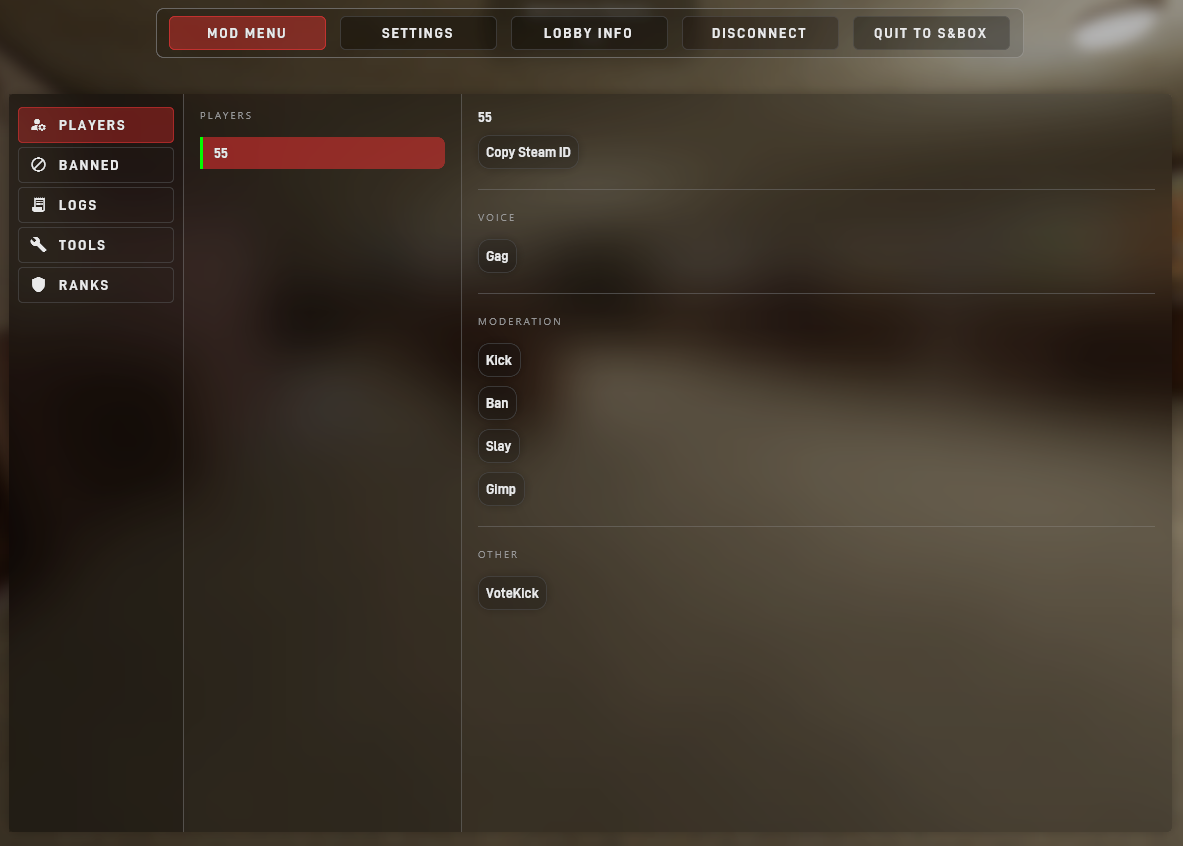
Clicking on a player in-game in the Mod Menu is another way to run these commands.
Bulk targets
!slay, !slaynr, !gag, !ungag, !gimp, !ungimp, and !kick can use * to target everyone you can legally act on. !ban requires a player name.
Map Tools
Admins and hosts can find these under Mod Menu → Tools → Map Tools.
| Tool | Permission | What it does |
|---|---|---|
| Force Map Vote | voting.force_mapvote |
Starts the normal map-vote flow immediately while waiting for players, or schedules it for the end of the current round. It is not blocked by ttt_rtv_enabled. |
| Choose Next Map | maps.change |
Opens the map browser and schedules a specific map for End of Round or End of Map. This bypasses the normal vote. |
Choose Next Map accepts the normal browser selections, maps already in the custom rotation, a package ident such as org.map, or an https://sbox.game/org/map link. Scheduling, replacing, cancelling, and completing a direct change are announced in chat.
Timing
End of Round changes happen immediately if the game is waiting for players or otherwise has no active round to finish. During an active round, the change waits for that round to end.
End of Map keeps the normal round limit and replaces the map vote that would usually happen when the map ends.
There is no console-command equivalent for scheduling these two direct-change timings. The host-console changelevel MAPIDENT command remains an immediate map change.
Host Console Tools
These are host console commands for live server operation.
| Command | What it does |
|---|---|
hostsay MESSAGE |
Sends a server message to chat. |
t.host.setafk PLAYER [true|false] |
Sets a connected player's AFK state. |
ttt_forcemapvote |
Starts or schedules the map-vote flow without requiring a public RTV vote. |